Your whole class, in one private diary.
Students, attendance, marks, progress cards, fees and scholarships, kept on your phone and encrypted. No registers to carry, no account to create, and no one else can see your students’ details.
- First month free
- Works without internet
- No ads, ever
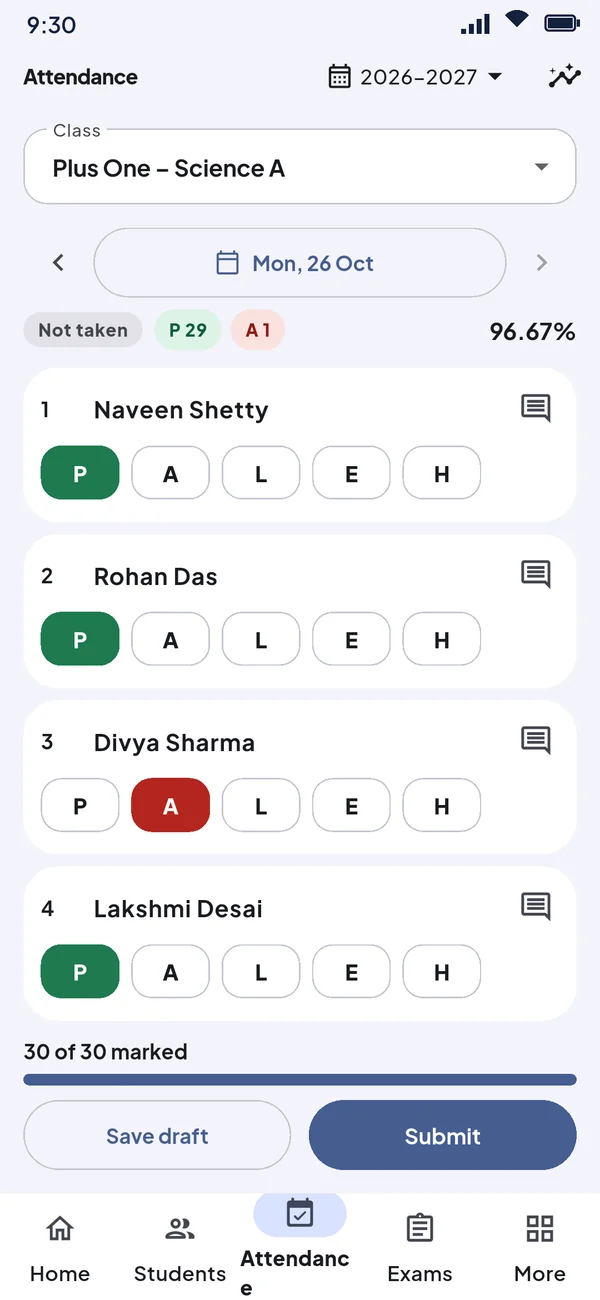
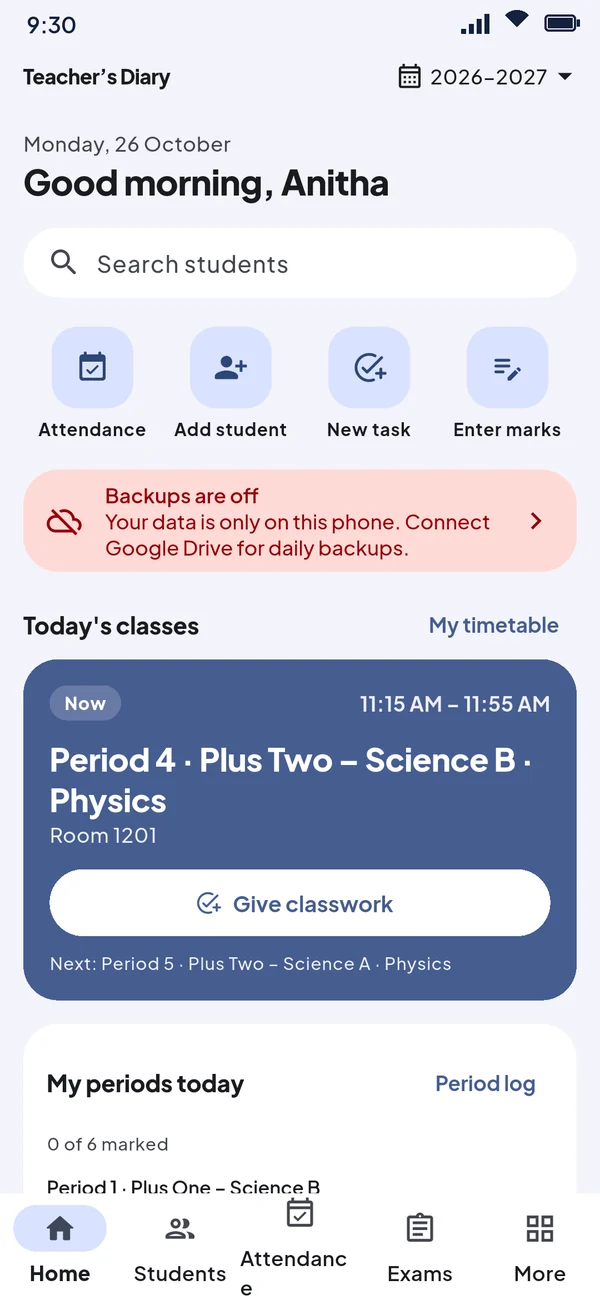
Everything a class teacher keeps track of
One app instead of attendance registers, mark sheets, fee books and the scholarship file. These are real screens from the app, with sample data.
Attendance in seconds
Tap All present, change the few who are absent, and submit. Teacher’s Diary keeps the monthly register for you.
- Present, absent, late, excused and half day
- Timetable and period log for the subjects you teach
- Registers and attendance percentages, sorted by class and roll number
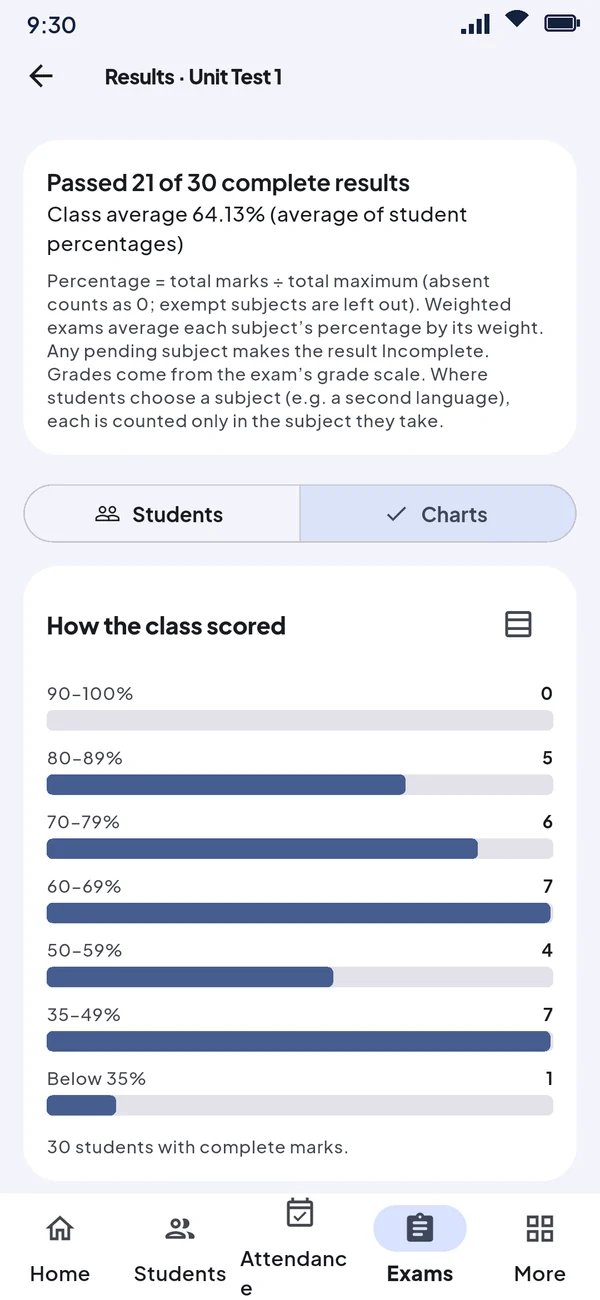
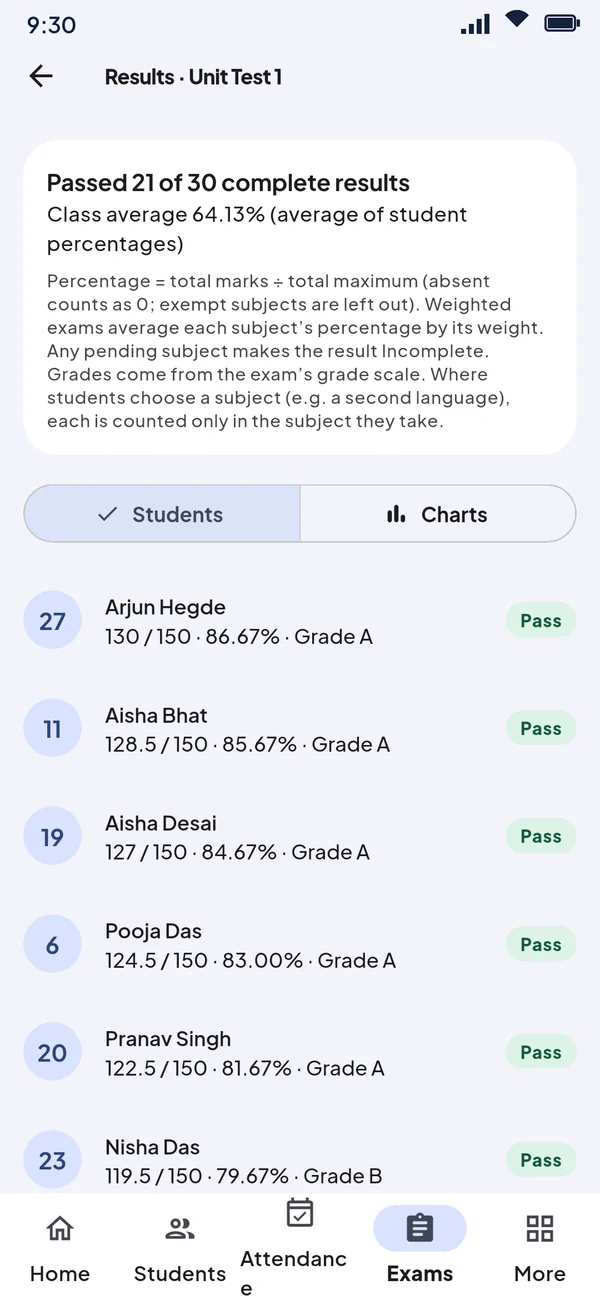
Marks, ranks and progress cards
Enter marks subject by subject. Results, grades and ranks are worked out for you, and every parent can get a neat PDF progress card.
- Unit tests, term exams and your own grade scales
- Class average and how the class scored, at a glance
- Progress over the year for each student
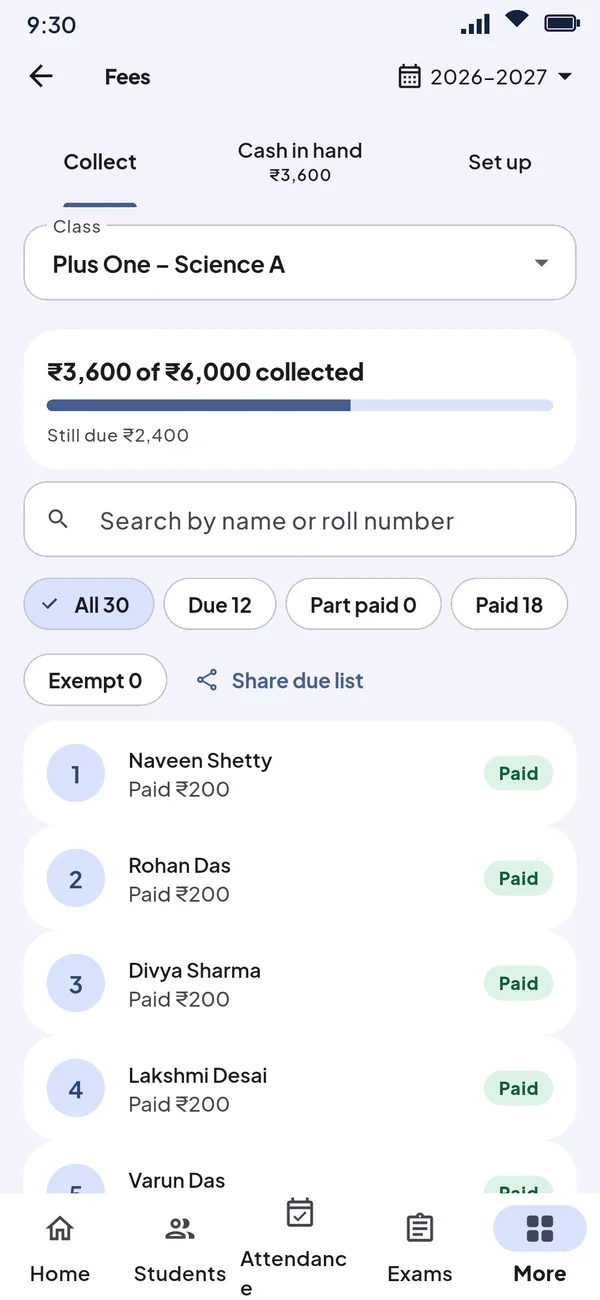
Fees without the fee book
Collect PTA, arts, sports and exam fees, share a receipt with the parent, and hand the cash over to the office with a statement to sign.
- Exemptions and concessions, for example for BPL students
- Cash in hand, by cash, UPI and cheque
- WhatsApp reminders and a due list to share
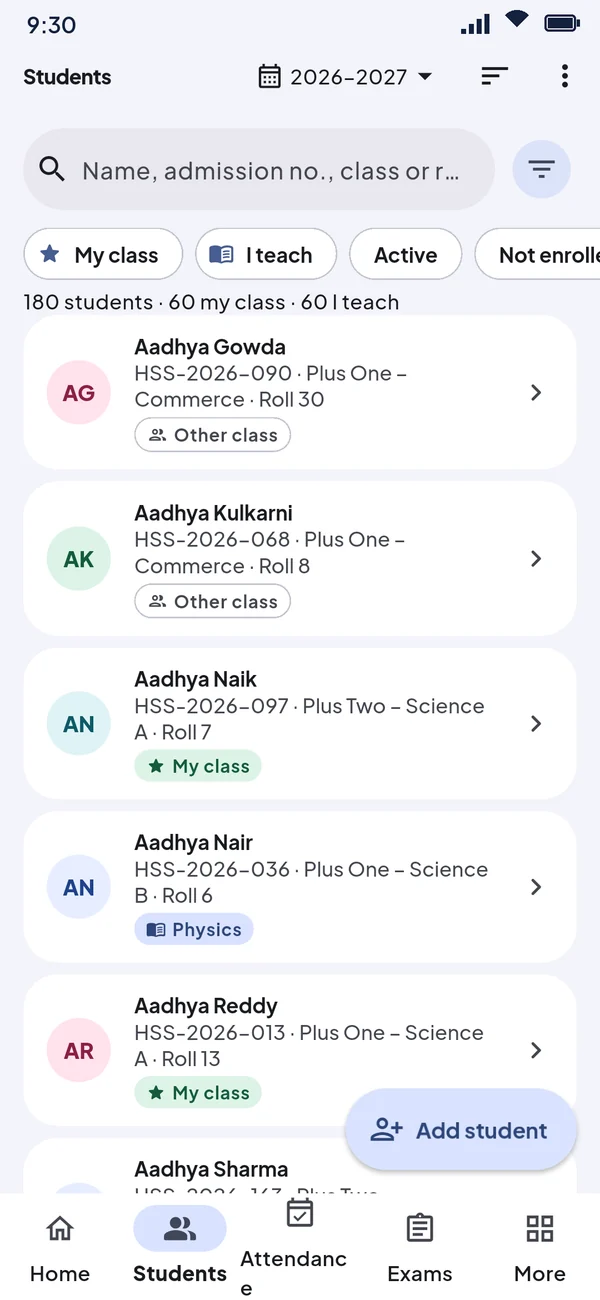
Every student, properly organised
Full profiles with parents, photos and documents. Bring your whole class in from Excel, and see your own class and the classes you teach separately.
- Guardians shared between brothers and sisters
- Scholarship details: category, economic status, IED, bank account
- Excel template with drop-down lists for import
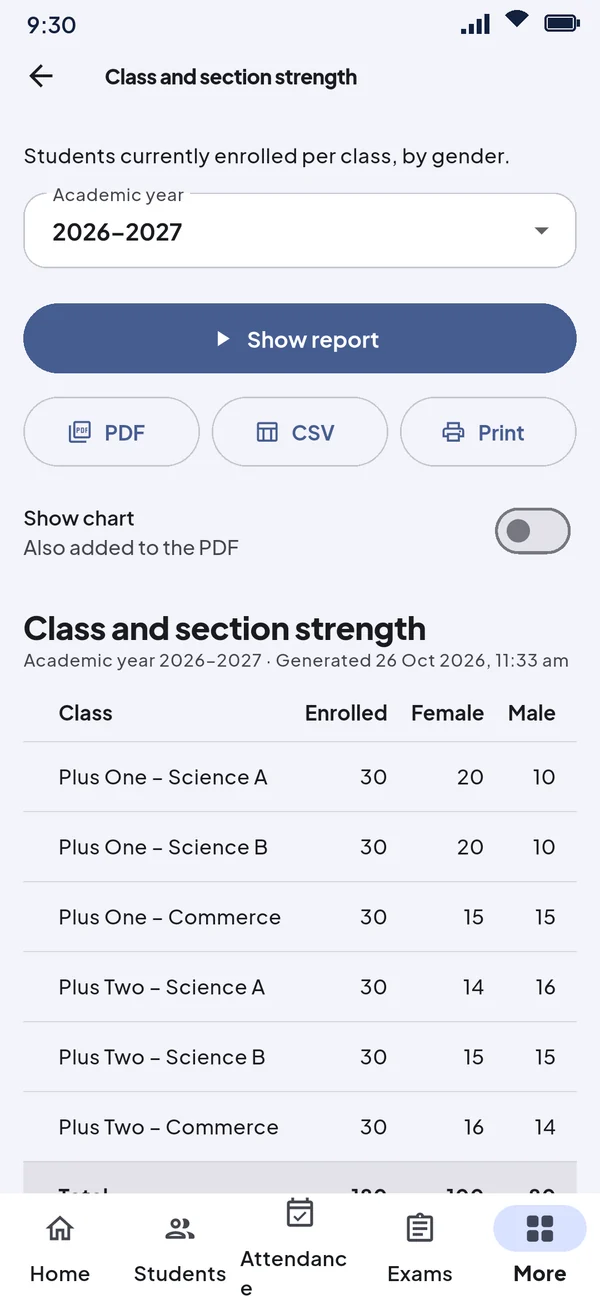
Reports ready when the office asks
Nearly thirty ready-made reports, from class strength to category-wise lists and missing bank details. Save as PDF or CSV, or print.
- Charts you can add to the PDF
- Personal details left out unless you include them
- Works for one class or the whole school
- Scholarship applications
- Classwork and assignments
- Reminders
- Holidays and academic years
- Encrypted documents
- Backup to file or Google Drive
- Light and dark themes
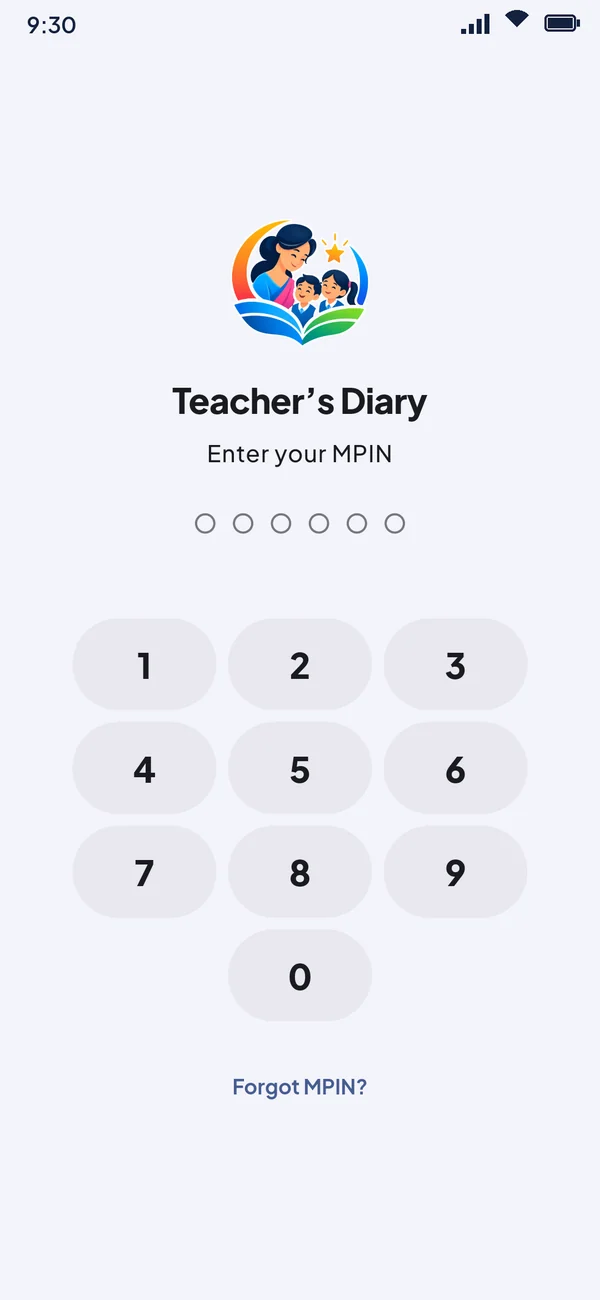
Your students’ details never leave your phone.
Teacher’s Diary has no server and no account. Everything you enter is encrypted on your phone, so only you can open it. Backups are locked with a recovery key that only you hold.
Read our privacy policy-
Encrypted on the phoneThe database, photos and documents use AES-256, with the key in the phone’s secure hardware.
-
Locked with your PINA 6-digit MPIN or fingerprint, auto-lock and a privacy cover in the recent-apps screen.
-
Backups only you can openSave a backup file or use your own Google Drive. It is encrypted before it leaves the phone.
-
No ads, no trackingNo analytics, no advertising and nothing sold. Ever.
Ready before the first bell
A short setup guide in the app walks you through each step.
Install and set a PIN
No sign-up. Choose a 6-digit MPIN and write down your recovery key.
Set up your year
Add your school, classes, sections and subjects.
Add your students
Type them in or import an Excel sheet using our template.
Teach
Attendance, marks, fees and reports, all from your phone.
Simple pricing. First month free.
Every feature in both plans. Cancel any time in Google Play.
Monthly
After your free month
- All features included
- Unlimited students and classes
- Cancel any time
Yearly
About ₹166 a month, after your free month
- All features included
- Two months free compared with monthly
- One payment for the school year
Payment is handled by Google Play. Nothing is charged during the free month, and you can cancel before it ends. Without a subscription the app stays view only: your records are never locked away, and you can still open, export and back them up.
Questions teachers ask
Do I need internet to use it?
No. Everything works offline. Internet is needed only to check your subscription with Google Play now and then, and for Google Drive backup if you turn it on.
Can you see my students’ data?
No. We have no server, so your records are only on your phone. Backups are encrypted with a key that only you have, so even a backup on Google Drive cannot be read by us or by Google.
What happens if I lose my phone?
Install Teacher’s Diary on your new phone and restore your latest backup with your recovery key. Keep the recovery key safe on paper: without it, a backup cannot be opened by anyone, including us.
I forgot my PIN. What now?
Tap Forgot PIN? on the lock screen and enter your recovery key, or unlock with your fingerprint if you turned it on. Without either, you can erase the app and restore your latest backup. For your students’ safety there is no back door.
Can I bring my existing student list?
Yes. Download the Excel template from the app, or use your own sheet. Teacher’s Diary matches your column names and shows every row for checking before anything is saved.
What if I stop my subscription?
Your records stay on your phone. The app becomes view only: you can still open everything, export reports and Excel files, and take backups. Subscribe again any time to keep adding and changing records.
Is it available on iPhone?
Teacher’s Diary is available for Android phones today.

Every Student. Every Class.
All in One Place.
Try Teacher’s Diary free for a month. If it doesn’t save you time, cancel any time in Google Play.